
Save Your AI Chats
to Markdown, JSON & Images
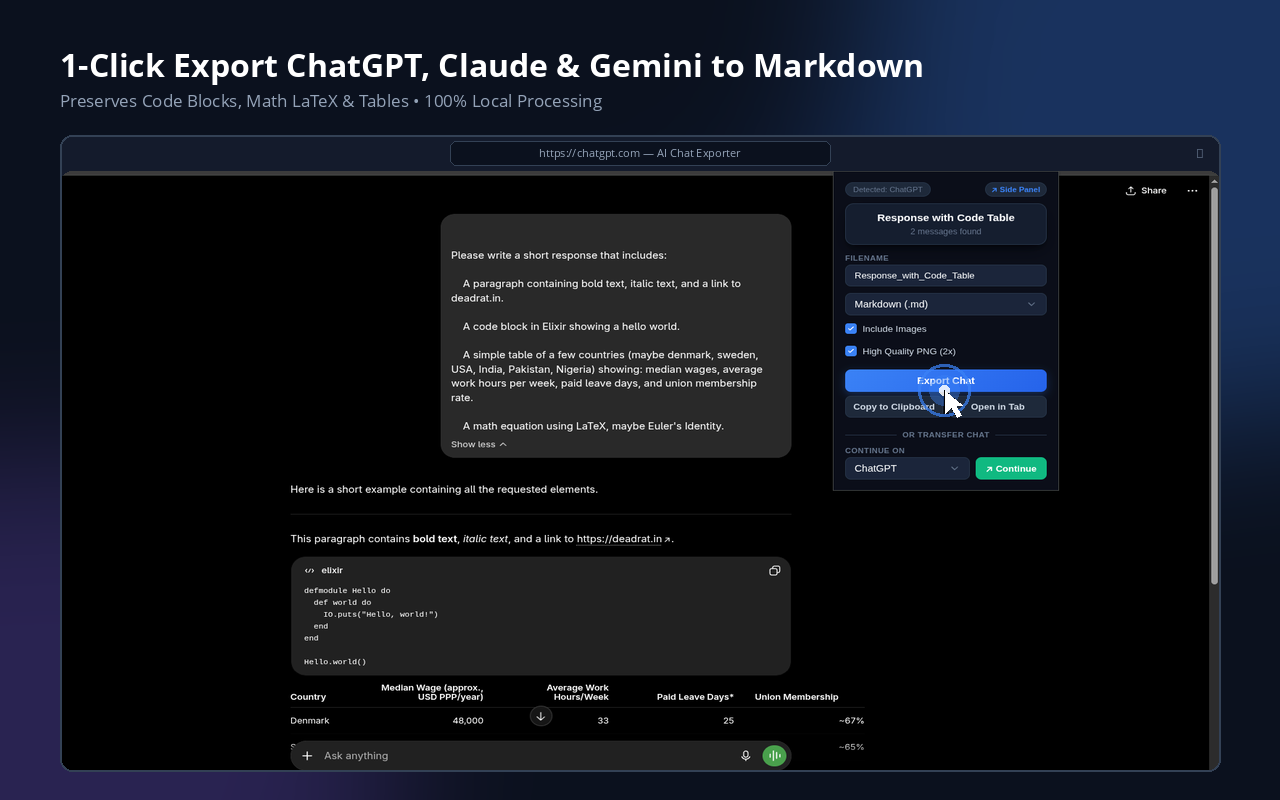
A minimalist browser extension to export and transfer conversations from ChatGPT, Claude, Gemini, Copilot, NotebookLM, DeepSeek, and more in one click.
Supports Chrome, Firefox, Edge, Brave, Opera, and other major browsers.
Supported Platforms
Powerful Features & Capabilities
Privacy First
All parsing and format rendering runs entirely within your browser. No third-party APIs or external servers are ever contacted.
Clean Markdown
Preserves code blocks, formatting, syntax highlighting, LaTeX equations, and list structures. Perfect for Obsidian and Notion.
Structured JSON
Exports normalized message threads conforming to a strict JSON schema, allowing developers to process chats programmatically.
One-Click Speed
Open the browser extension popup and trigger the export instantly without breaking your reading or dialogue flow.
Chat Continuation & Obsidian Transfer
Seamlessly transfer conversation context across different AI platforms (e.g., Claude to
ChatGPT) or send notes directly into Obsidian via native
obsidian://new URIs.
PNG & Clipboard
Export conversations as high-fidelity sharing-ready PNG images, or copy directly to your clipboard with rich-text formatting preserved.
Side Panel (Chromium)
Access exporter functionality and run chat continuation right inside the browser's native side panel (available on Chromium-based browsers).
Watch Video Demo
Watch a quick 1-minute video walkthrough showcasing live chat exports, sidepanel features, and format settings in action.
Watch Demo on YouTube