AI Chat Exporter Logo AI Chat Exporter
πŸŽ‰ Extension Installed & Ready

Welcome to AI Chat Exporter!

Export your chat history, code blocks, LaTeX math, and images from ChatGPT, Claude, Gemini, DeepSeek, and 8+ platforms into clean Markdown, JSON, HTML, or PNG.

Step 1: Pin AI Chat Exporter to Your Browser Toolbar
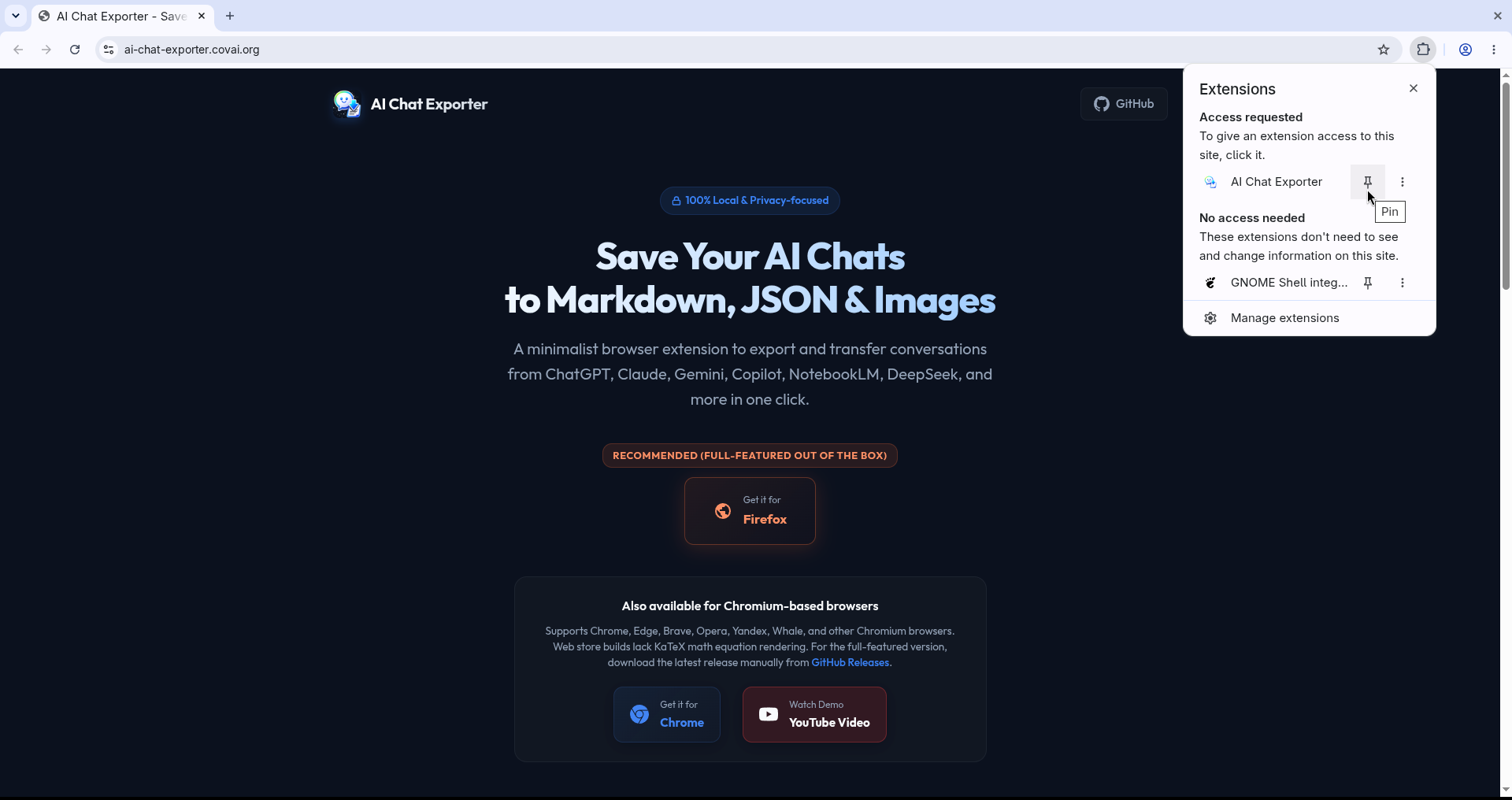
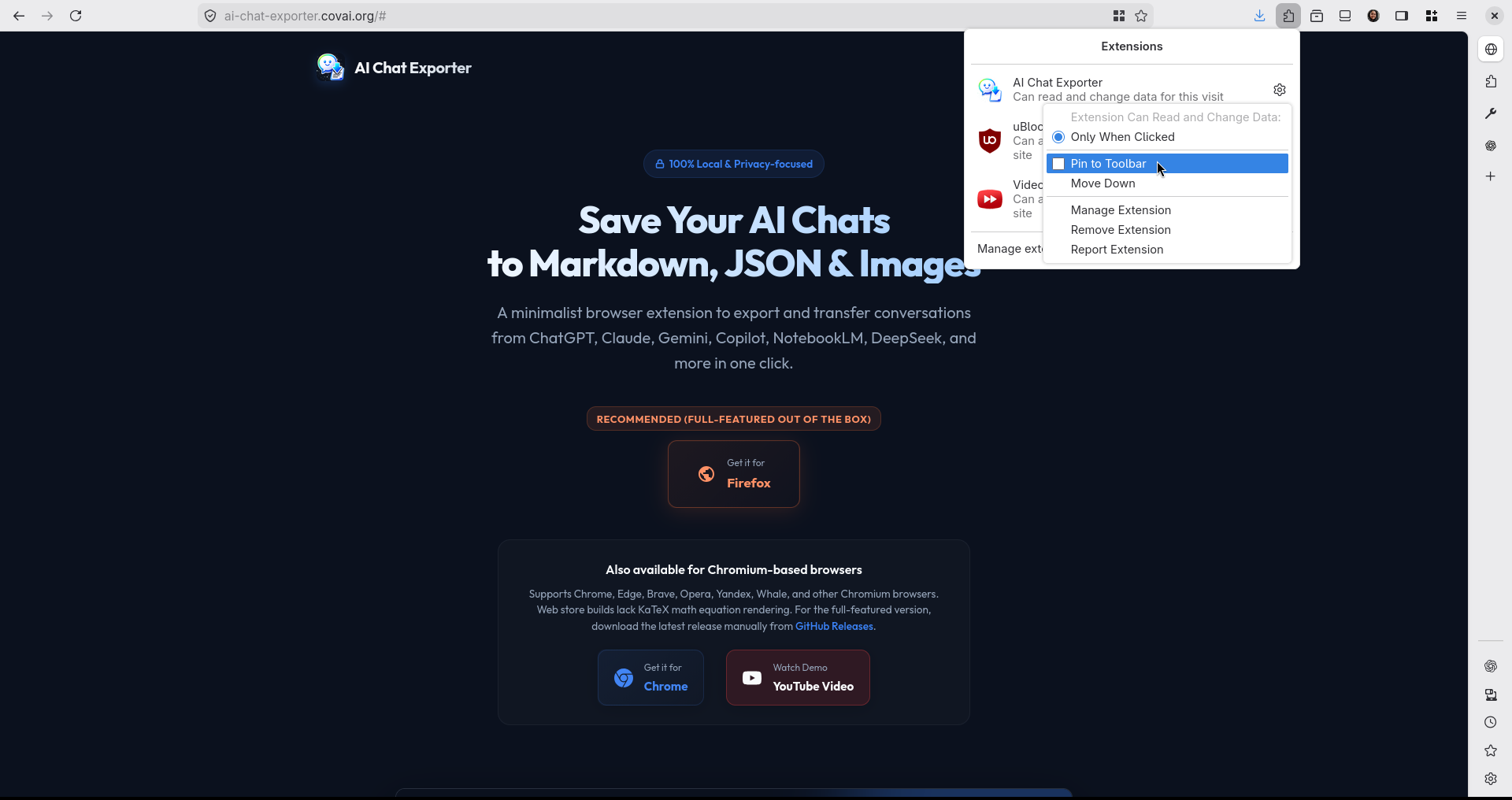
Click the extension puzzle piece icon in your browser toolbar to pin AI Chat Exporter for instant 1-click access.
Chrome / Edge: Pin to Toolbar πŸ” Click to expand
Pin Extension in Chrome
Firefox: Pin to Toolbar πŸ” Click to expand
Pin Extension in Firefox

Visual Tour & Extension Features

1. Multi-Format Chat Exporting
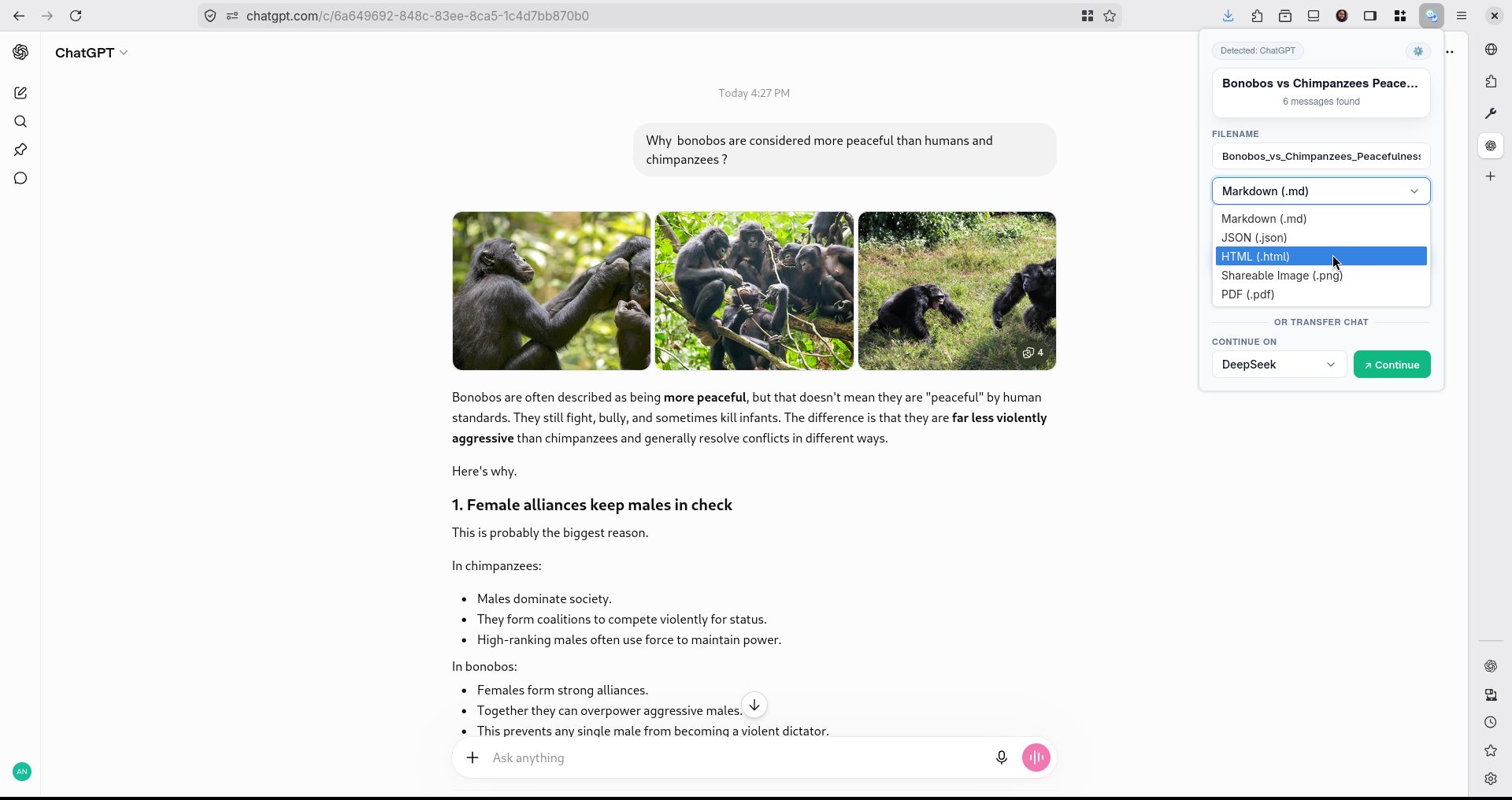
Export conversations in Markdown (.md), JSON (.json), formatted HTML (.html), or raster image (.png). Includes full support for code syntax highlighting and LaTeX math.
Format Selection in Popup UI πŸ” Click to expand full image
Format Selection UI
2. Cross-AI Model Chat & Obsidian Transfer
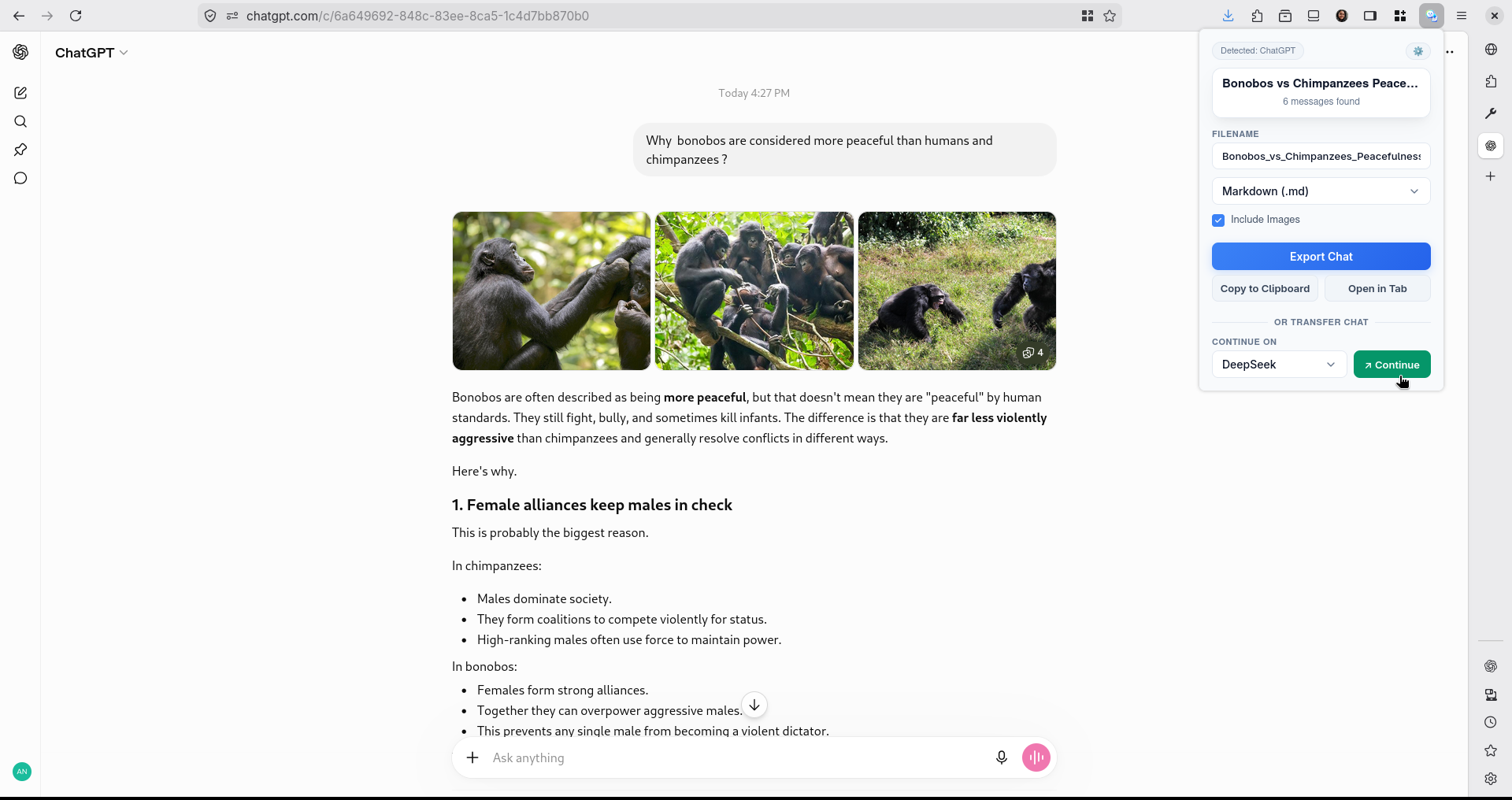
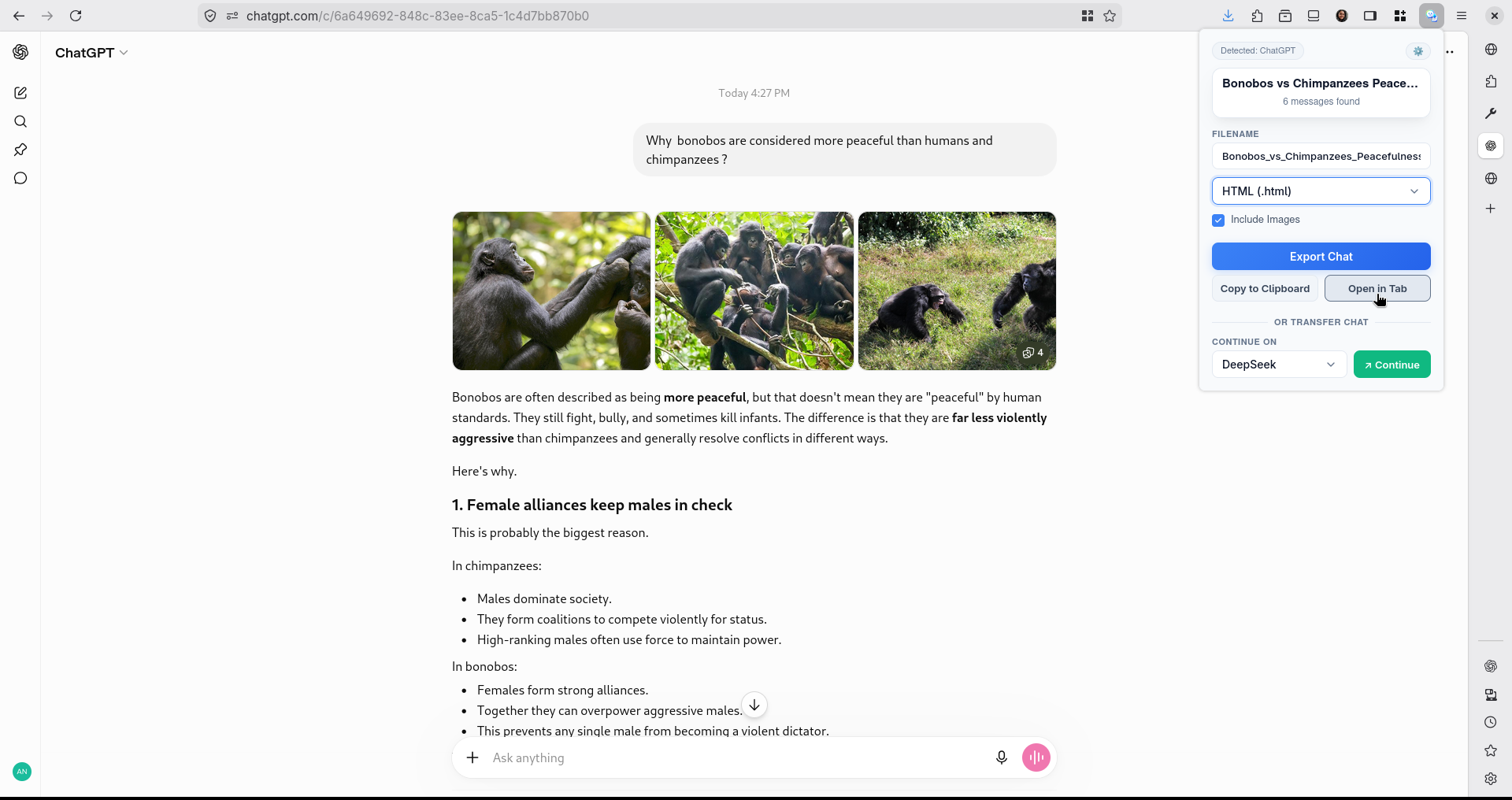
Transfer your prompt and chat context directly from ChatGPT to Claude, DeepSeek, Gemini, Perplexity, Qwen, or Obsidian (via native obsidian://new URIs) with 1 click.
Smart Continuation & Transfer πŸ” Click to expand full image
Cross-AI Transfer Selector
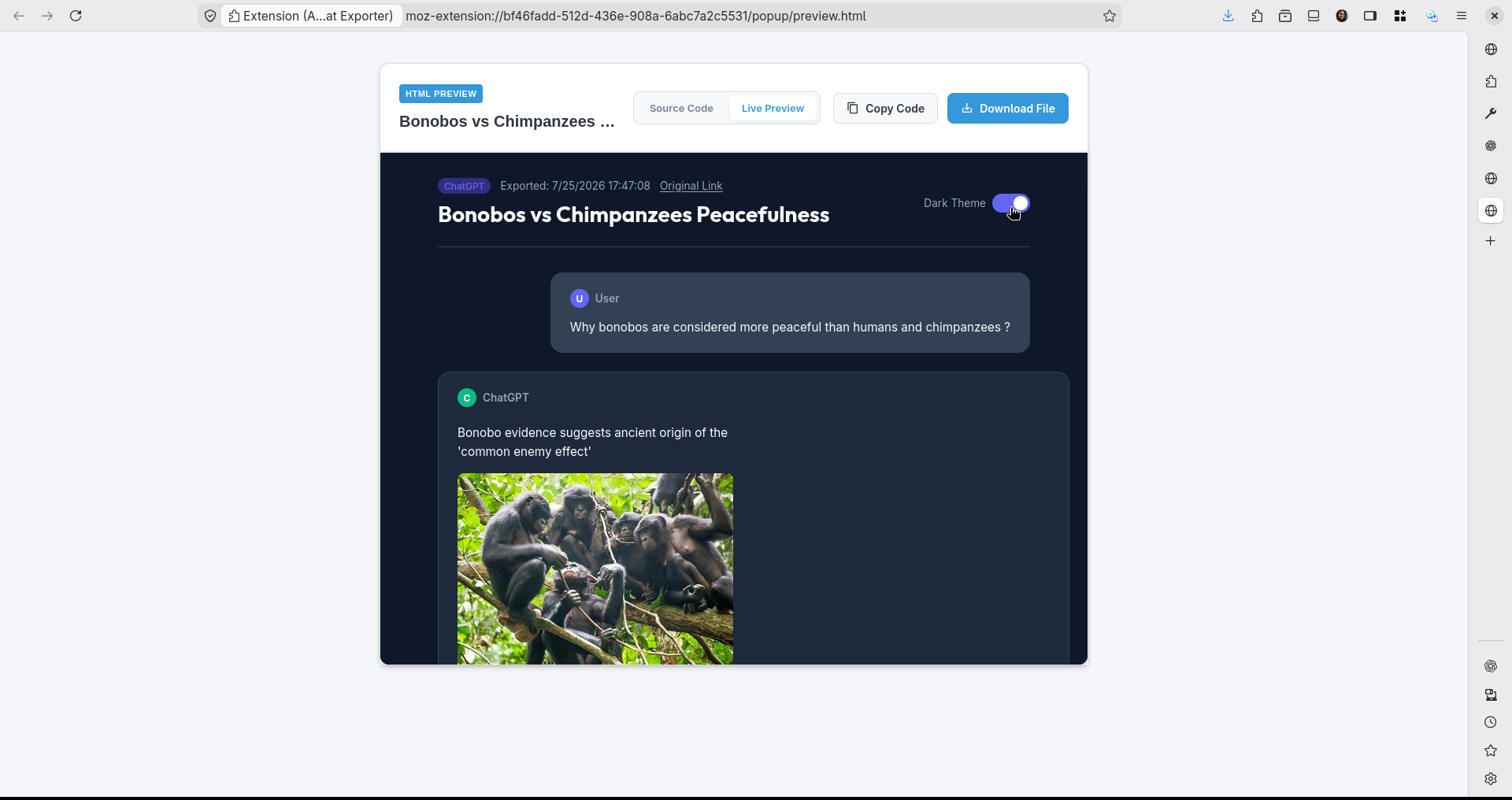
3. Standalone Tab Document Preview
Open your formatted chat in a standalone tab before downloading, copying, or printing to PDF.
Standalone Tab Preview πŸ” Click to expand full image
Open in Tab Preview
4. Styled HTML Document Exports
Export self-contained, beautifully styled HTML files with dark mode and code block copy buttons.
Exported Dark Mode HTML Document πŸ” Click to expand full image
Exported HTML File
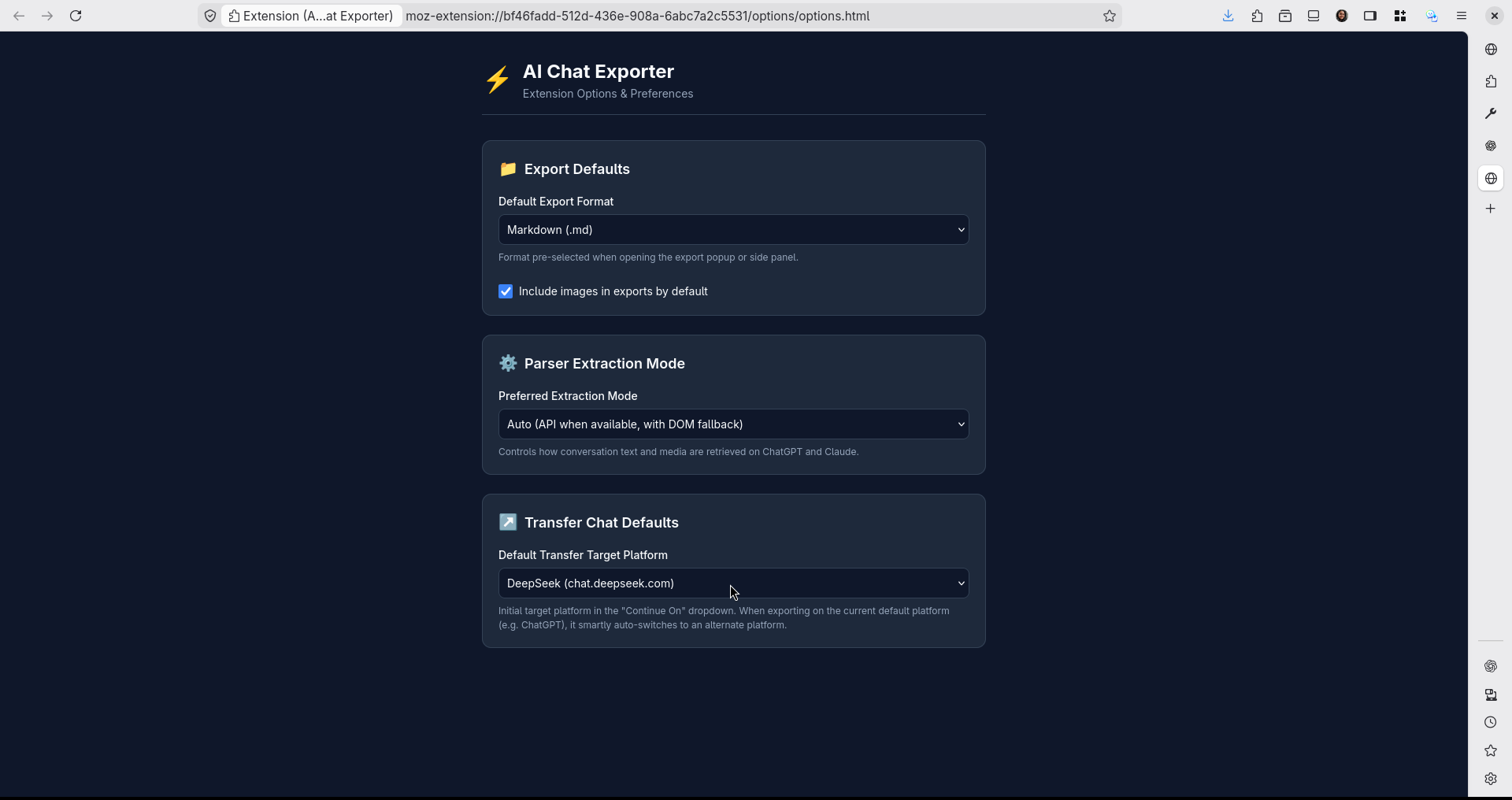
5. Extension Settings & Options
Customize launch behavior, default export formats, image toggles, and filename template rules.
Extension Options & Preferences πŸ” Click to expand full image
Extension Settings
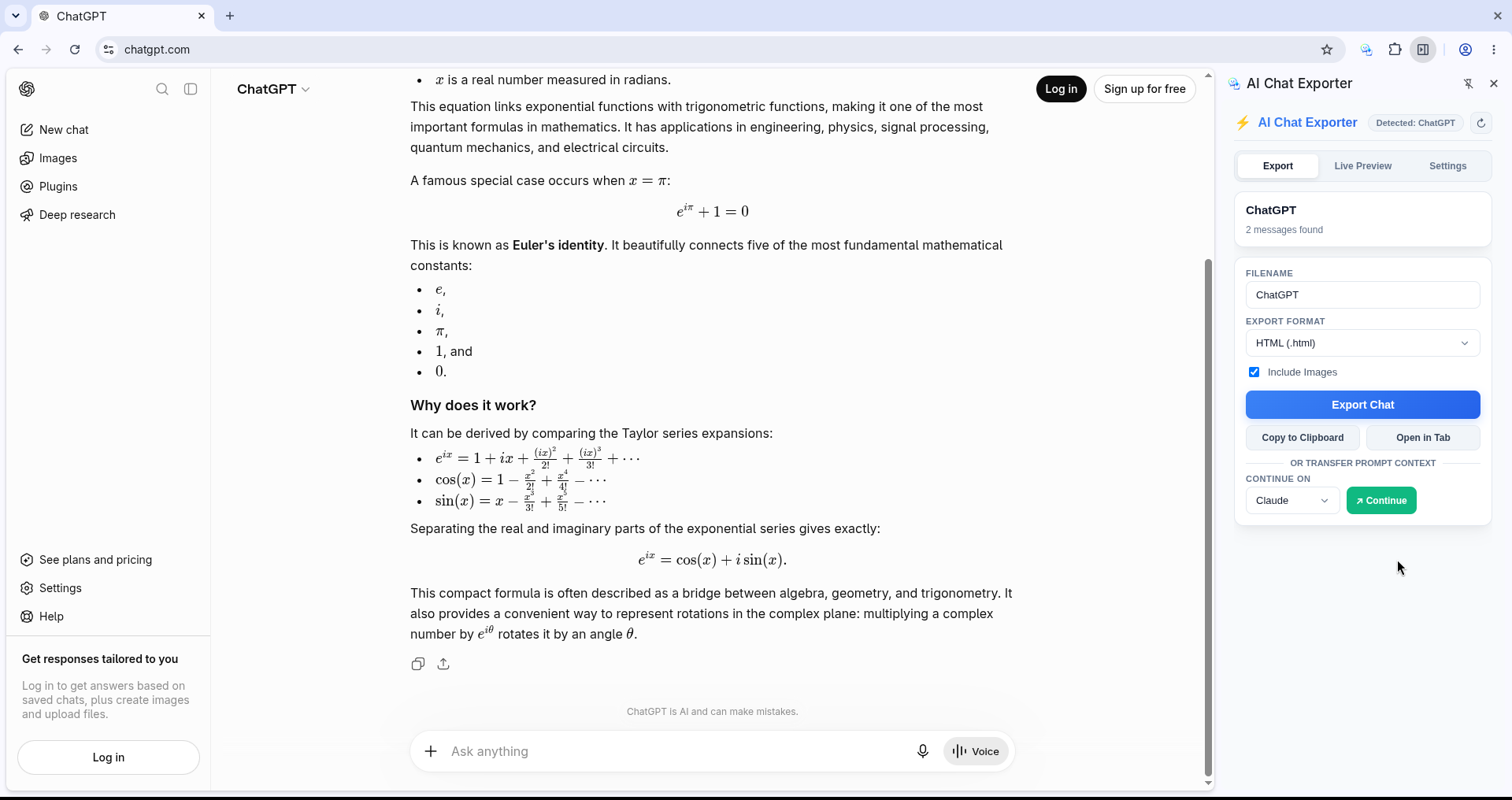
6. Browser Sidepanel Support Chrome / Edge / Brave
Open the sidepanel alongside your active chat to preview formatted markdown, code blocks, and citations live while chatting. (Note: Available in Chromium-based browsers like Chrome, Edge, Brave, and Opera).
Integrated Sidepanel View (Chromium Browsers) πŸ” Click to expand full image
Browser Sidepanel View

Ready to Export? Open Supported Platforms Below

Visit any supported platform to start exporting conversations immediately.